Contact support
Android
If you have a question or run into a problem, let us know through 1:1 Inquiry.
Go to More → "Info" → "1:1 Inquiry" and tap [New inquiry].
Choose a type (Account & sign-in / Location & Family Zone / Protection mode & SOS / Safety reports / Other) and enter a title and details. Attaching a screenshot helps us look into it faster.
Tap [Send] to submit. You'll return to your inquiry list, and a short confirmation appears over it.
We'll reply within 2 business days. When the status changes to "Answered", open the inquiry to read the reply.
Step by step
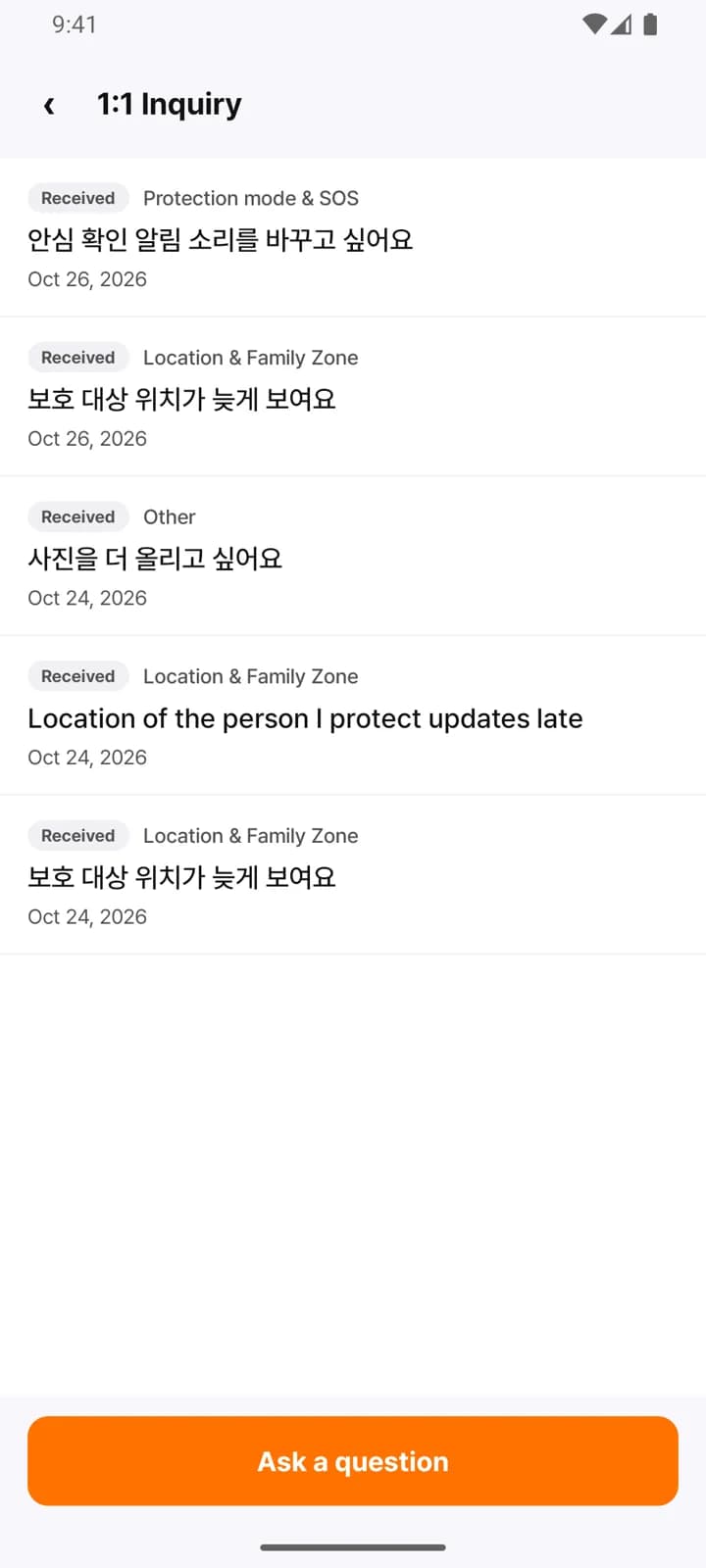
Step 1
1:1 Inquiry
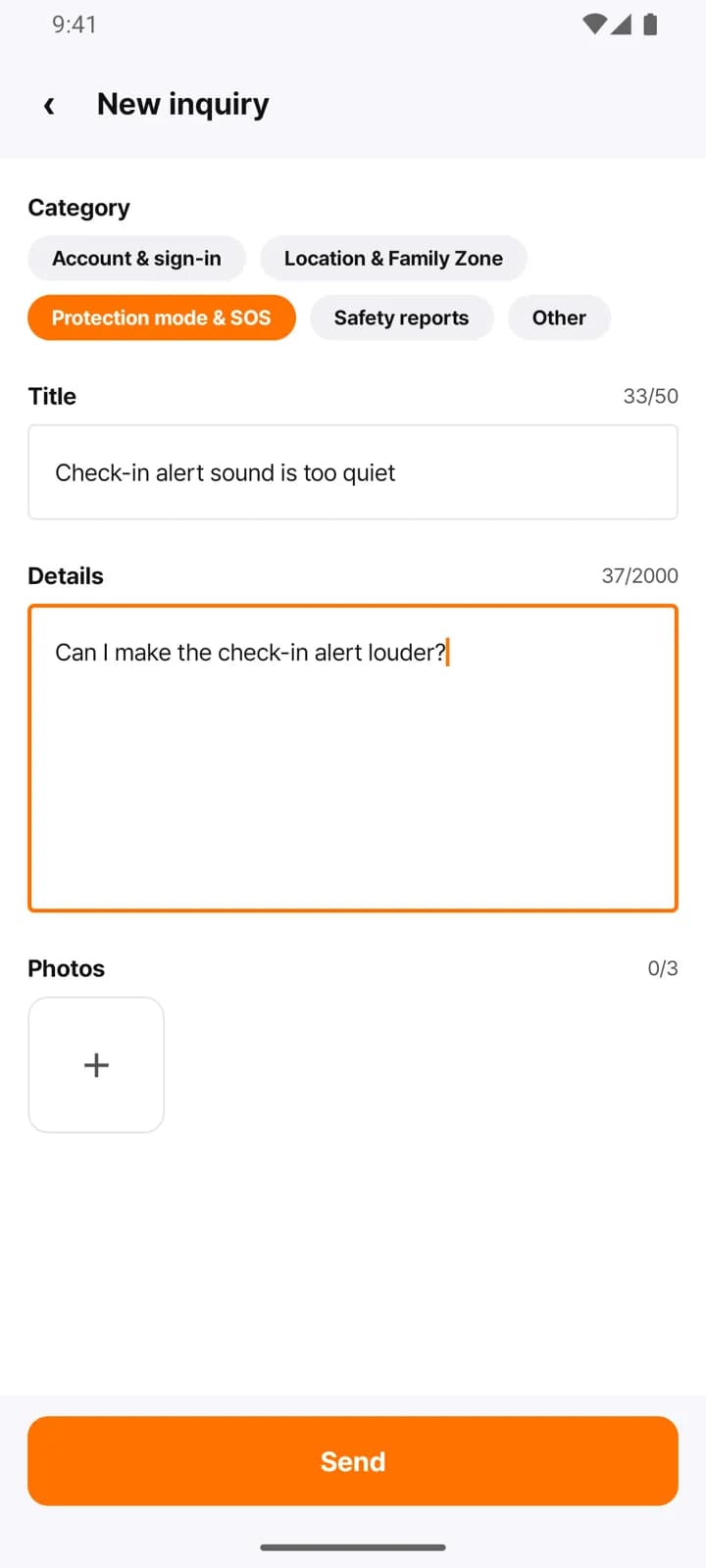
Step 2
New inquiry