Deleting your account or the app
iPhone
Step by step
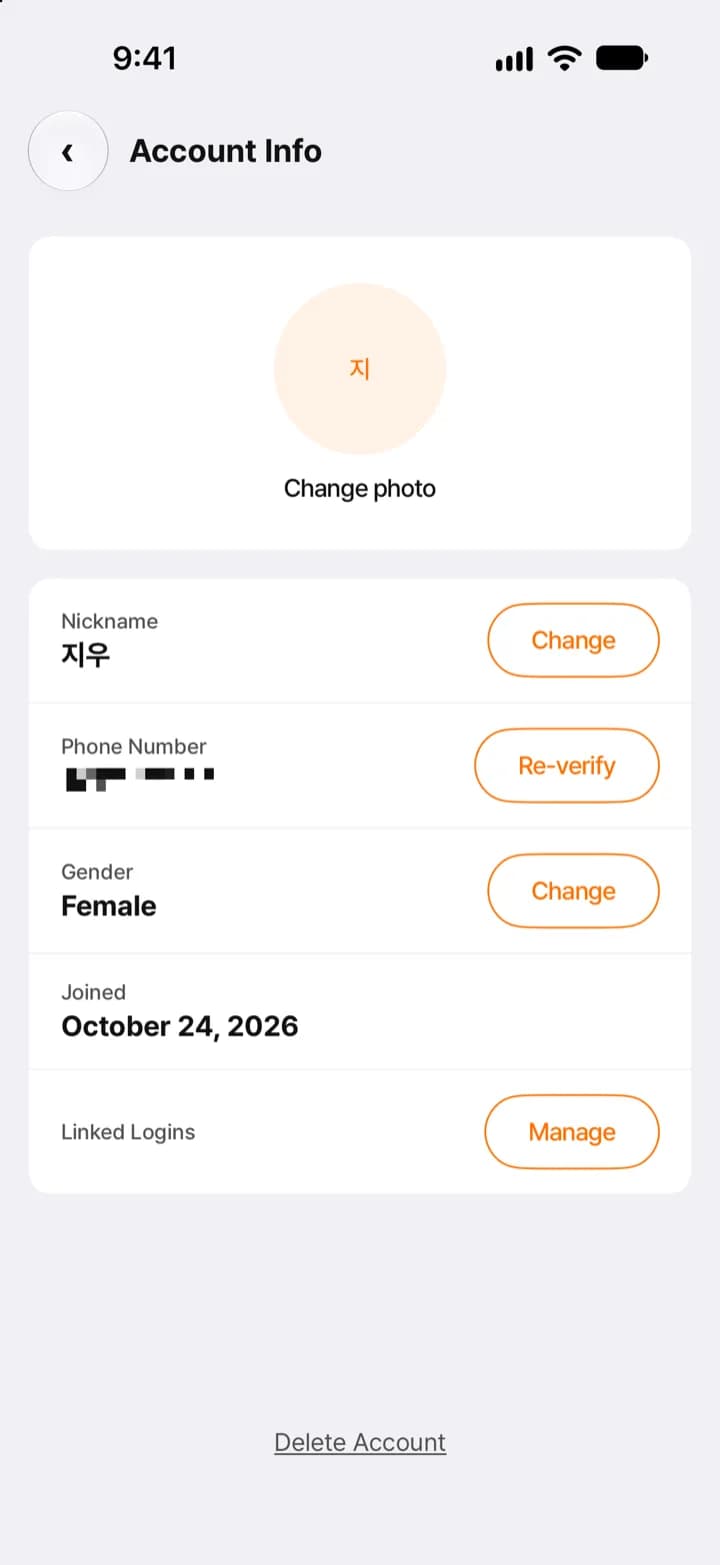
Step 1
Deleting your account Go to More → profile card → "Account Info" → "Delete Account".
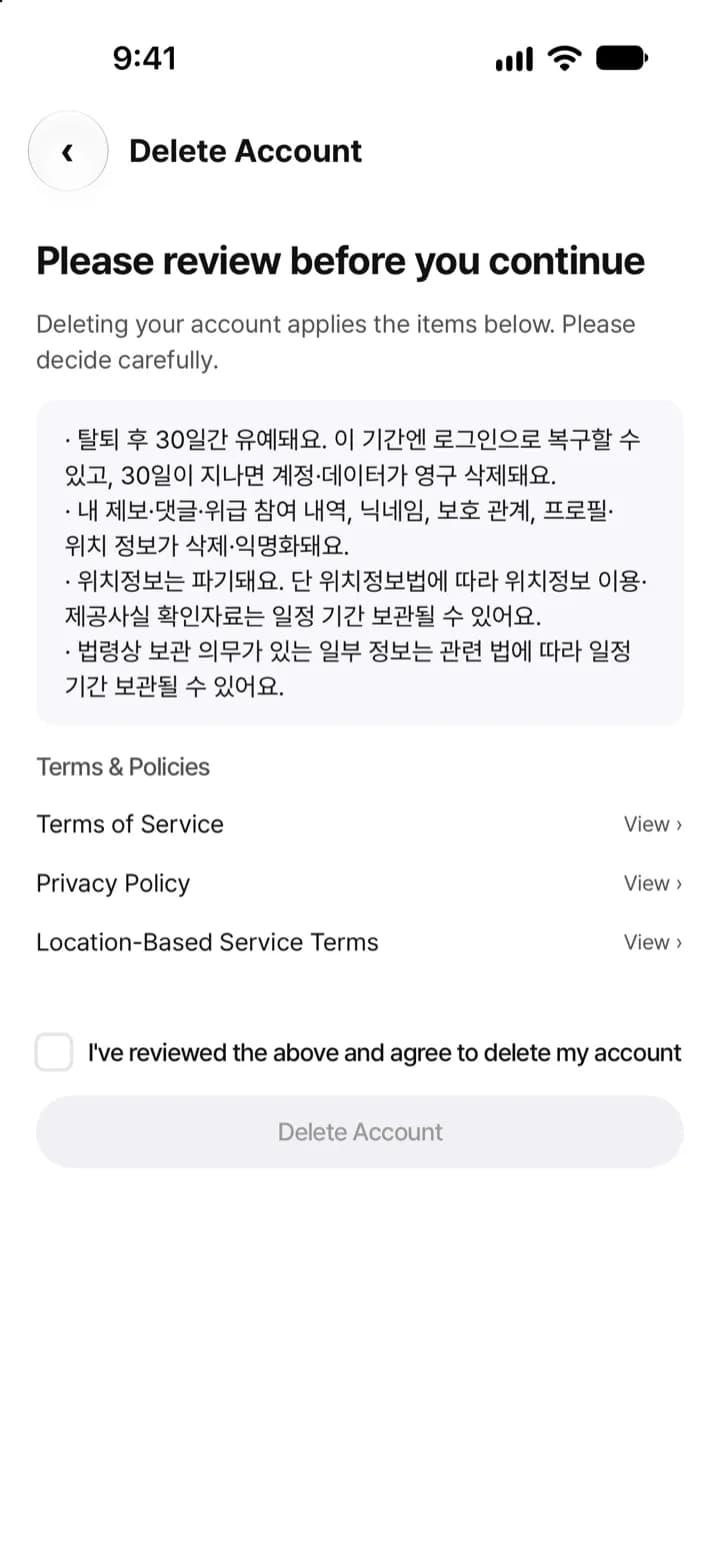
Step 2
Read the notice, check "I've reviewed the above and agree to delete my account", and tap [Delete Account].
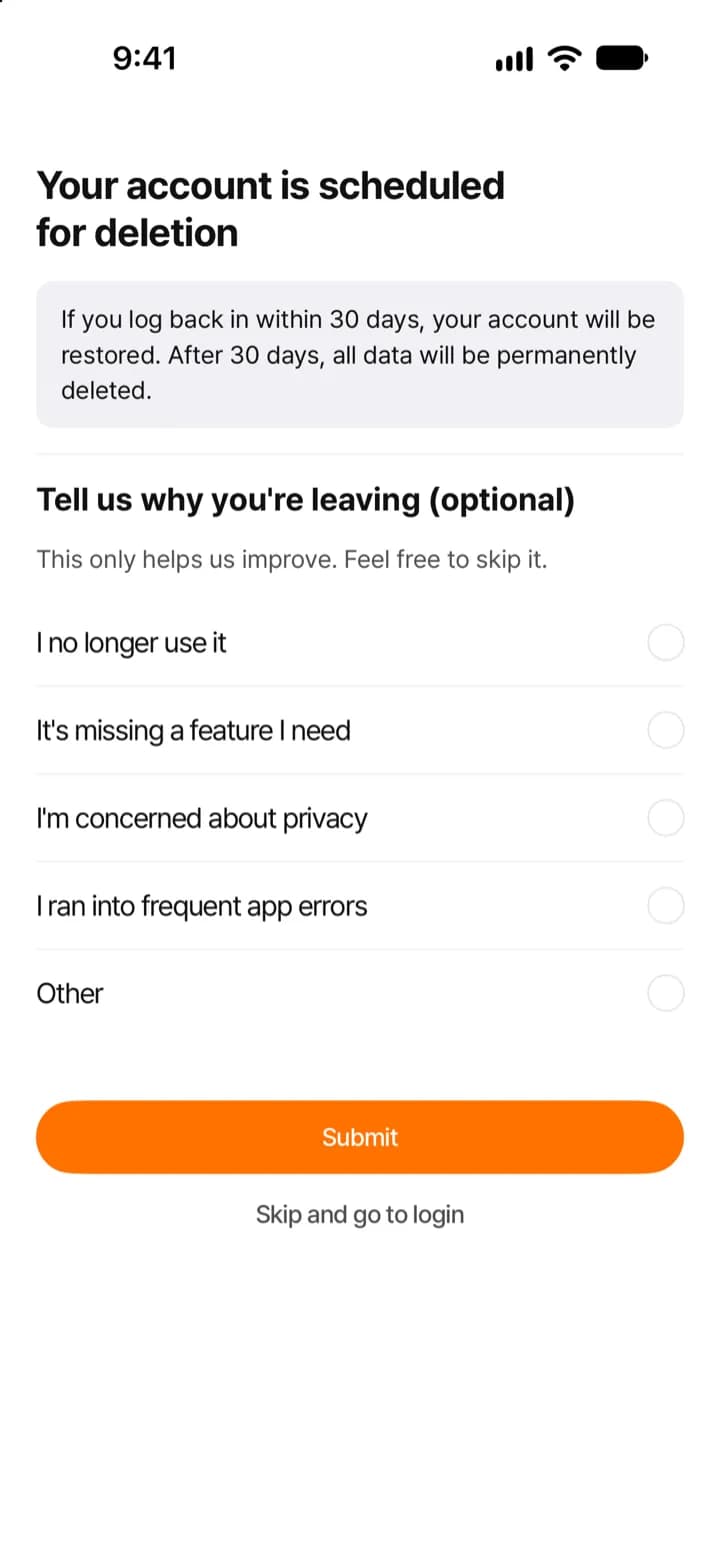
Step 3
You'll see "Your account is scheduled for deletion". Telling us why you're leaving is optional but helpful.
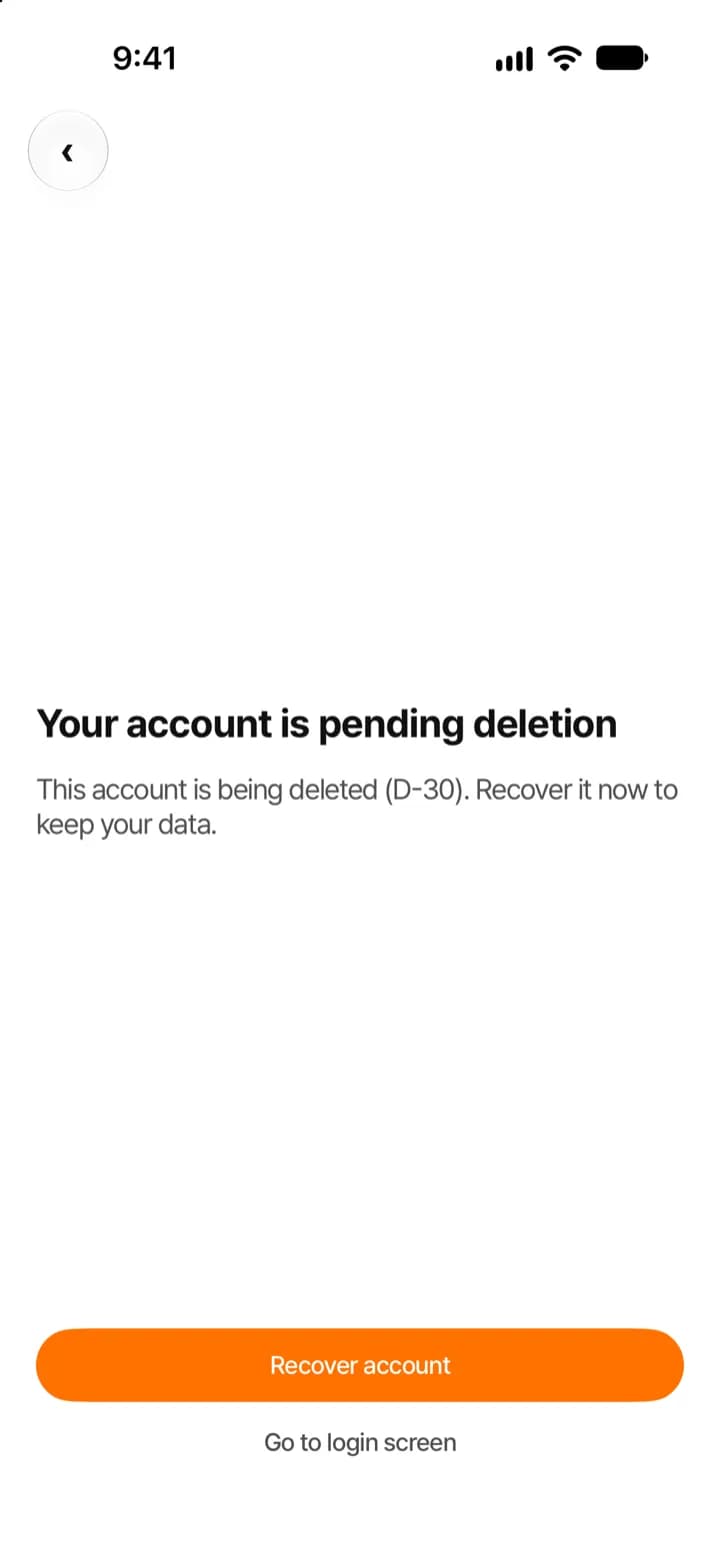
Step 4
If you change your mind Deletion is completed 30 days after the request. "If you log back in within 30 days, your account will be restored. After 30 days, all data will be permanently deleted." If you log in with the same number within 30 days, you'll see "Your account is pending deletion" — tap [Recover account] to restore it. Logging in alone doesn't restore it. A minor's account can only be recovered through their guardian.
Step 5
If you can't delete your account You can't delete your account while protection mode is active. End protection mode and try again. If someone you're connected to is using protection mode, deletion is processed after it ends.
Step 6
Deleting the app Deleting the app alone doesn't remove your account. To remove your account too, delete your account first.