Location tracking mode
iPhone
Step by step
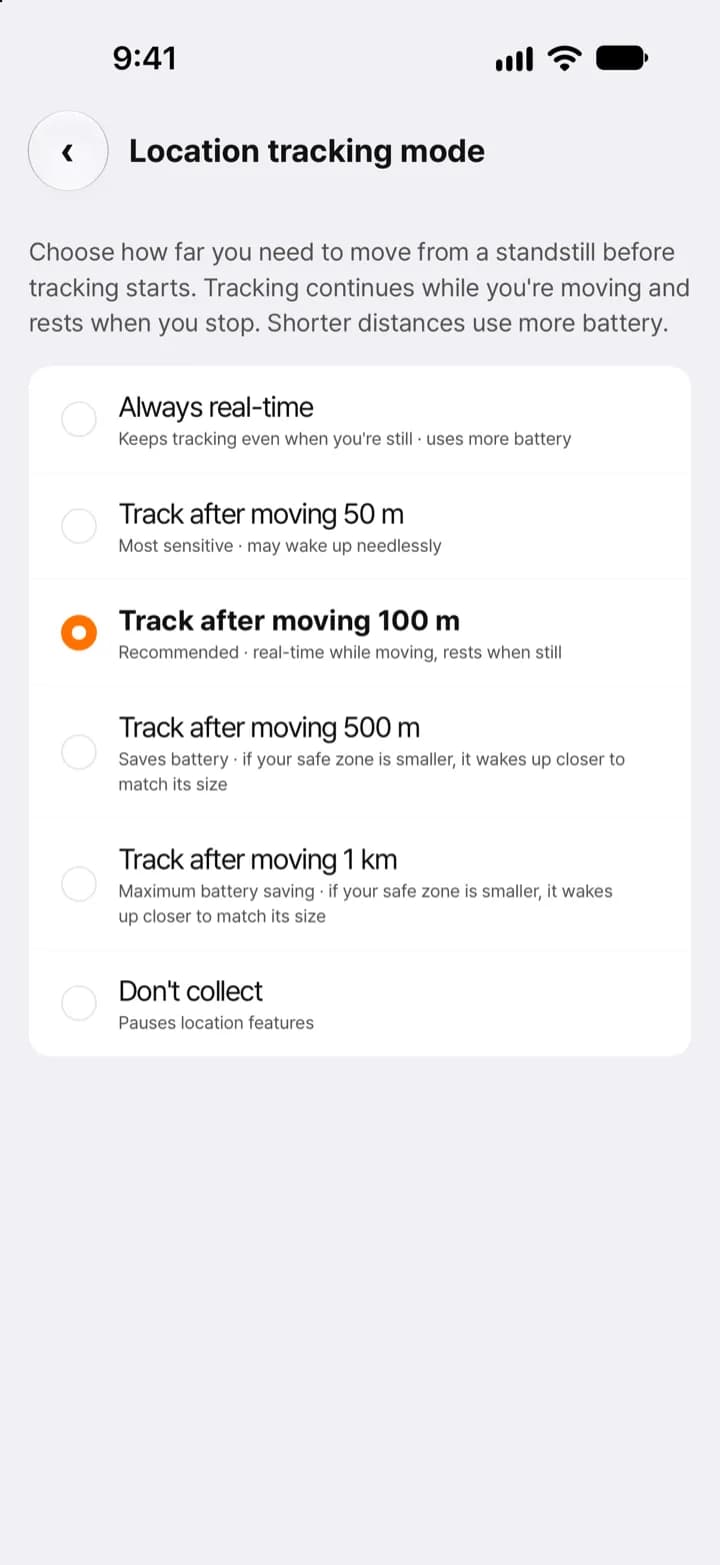
Step 1
Where to change it More → "App Settings" → "Location tracking mode"
Step 2
Options Always real-time — Keeps tracking even when you're still. Uses a lot of battery.
Step 3
Track after moving 50 m — Most sensitive. May wake up occasionally even when you're still.
Step 4
Track after moving 100 m — Recommended. Real-time while moving, resting when still.
Step 5
Track after moving 500 m — Saves battery. If a safe zone is smaller, tracking wakes up closer to match its size.
Step 6
Track after moving 1 km — Saves the most battery.
Step 7
Don't collect — Pauses location features.
Step 8
A shorter distance updates your location sooner but uses more battery.
Step 9
When you can't change it On iPhone, if you see "Location permission is off", tap [Open device settings]; on Android, if you see "The app needs the permissions below to work.", tap [Open Settings]. Then set location access to "Always" ("Allow all the time" on Android).
Step 10
You can't change it during protection mode. Change it after protection mode ends.