Troubleshooting
Android
Step by step
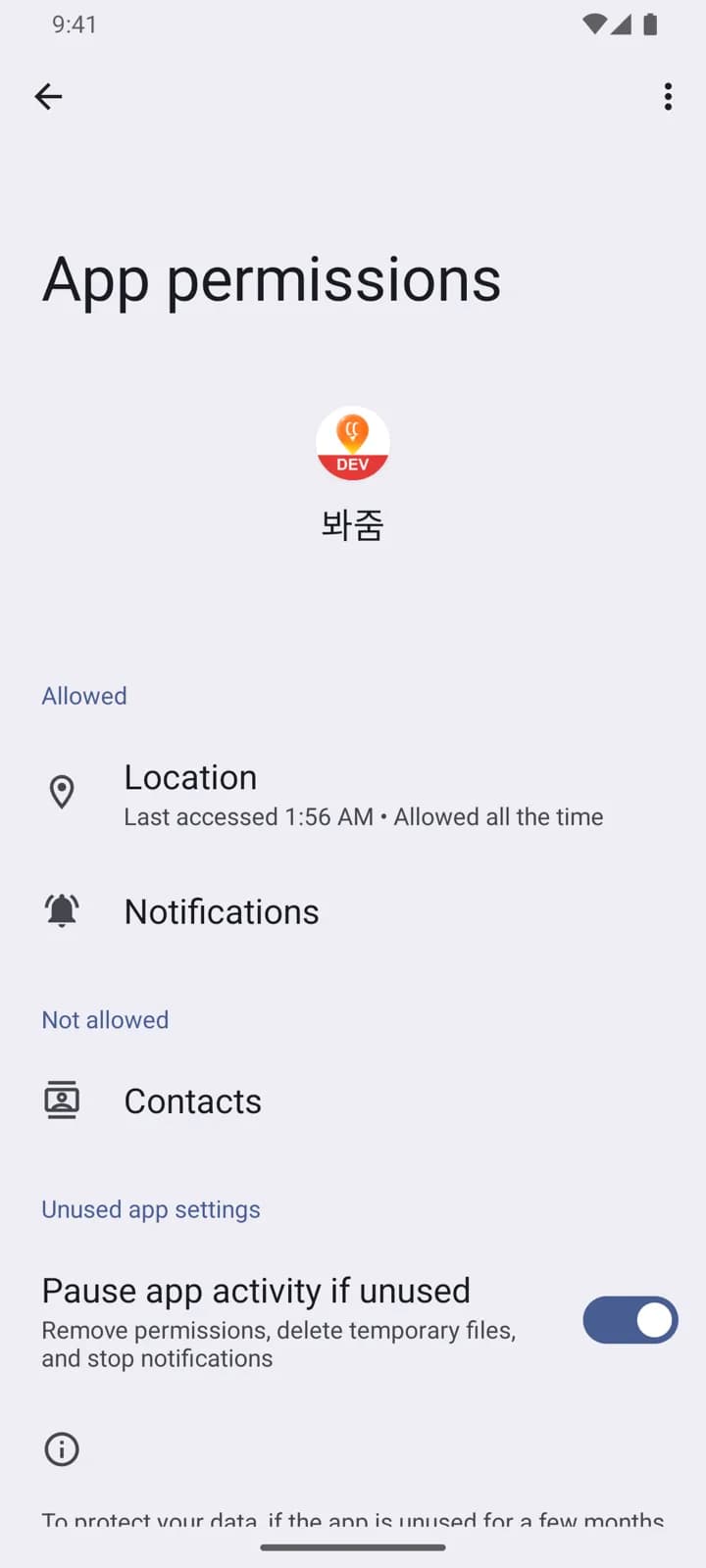
Step 1
Location stops updating or is delayed Check that location access is set to "Always".
Step 2
On Android, exclude Vazoom from battery optimization. On iPhone, Background App Refresh must be on.
Step 3
Check that Location tracking mode isn't set to "Don't collect" or to too long a distance.
Step 4
While you stay in one place, a location check signal is sent every 15 minutes after the last one (the same on iPhone and Android). This isn't a fault.
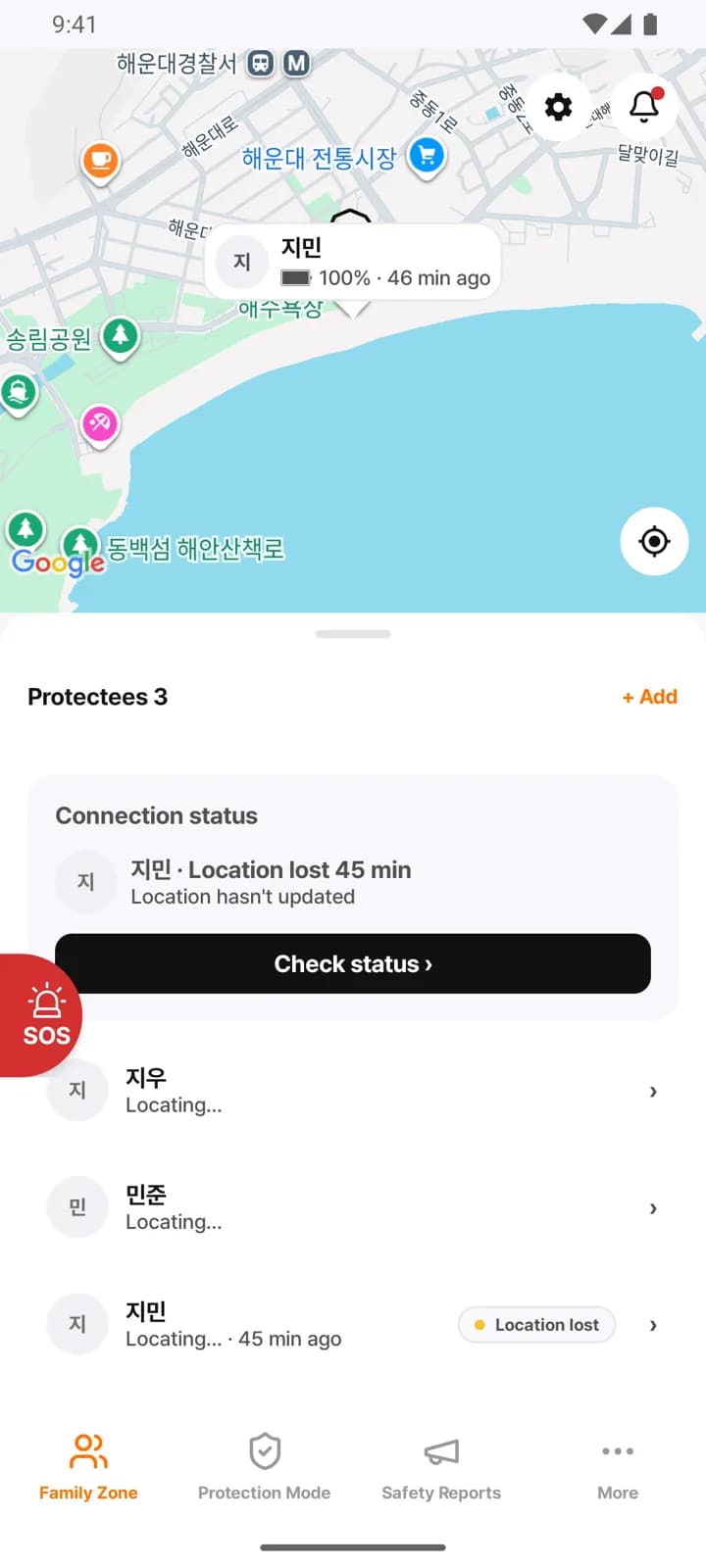
Step 5
If a guardian sees "Location lost" or "Low battery", they can open "Status Check" in that person's settings to check the phone's status and send a request.
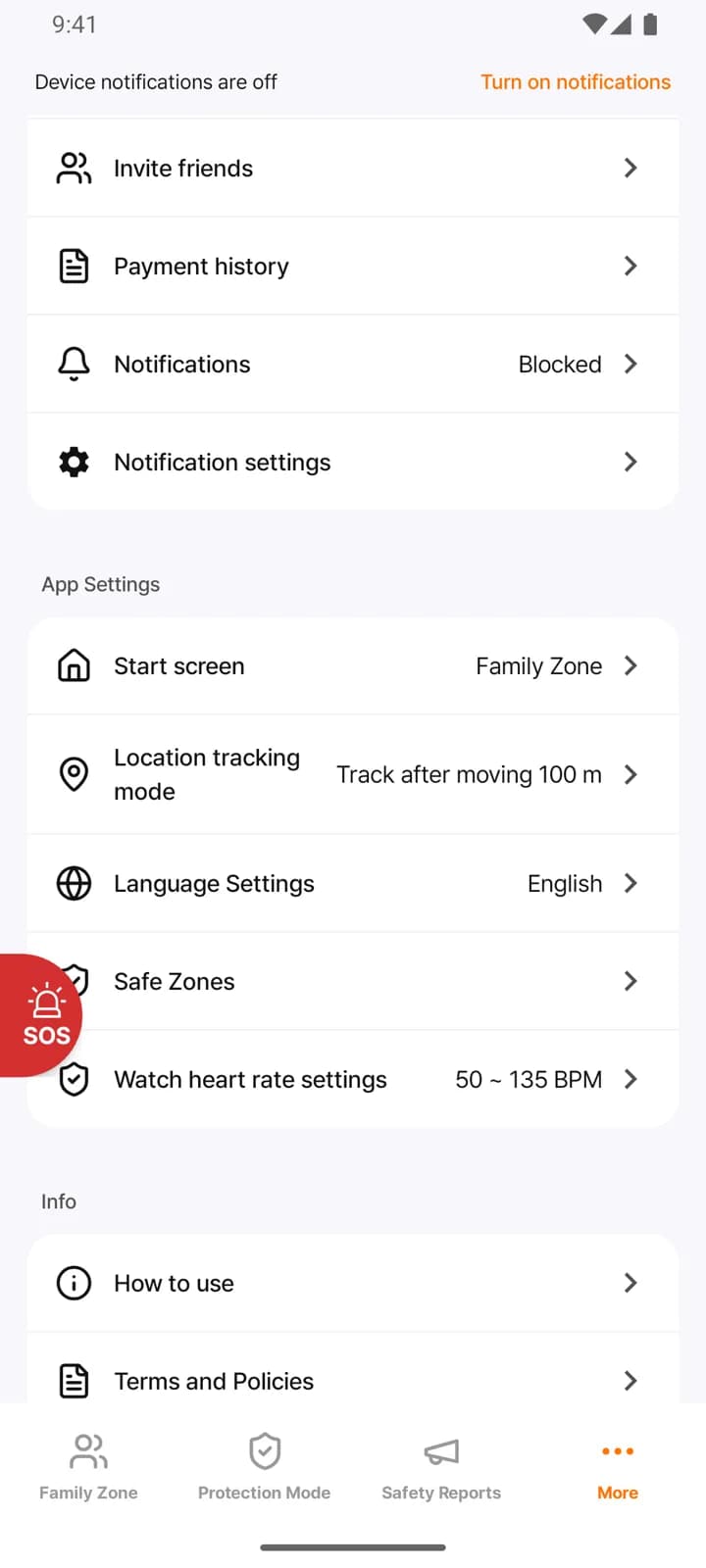
Step 6
Notifications aren't arriving In More → "App Settings", check that "Notifications" shows "Allowed". If it shows "Blocked", allow Vazoom notifications in your device settings.
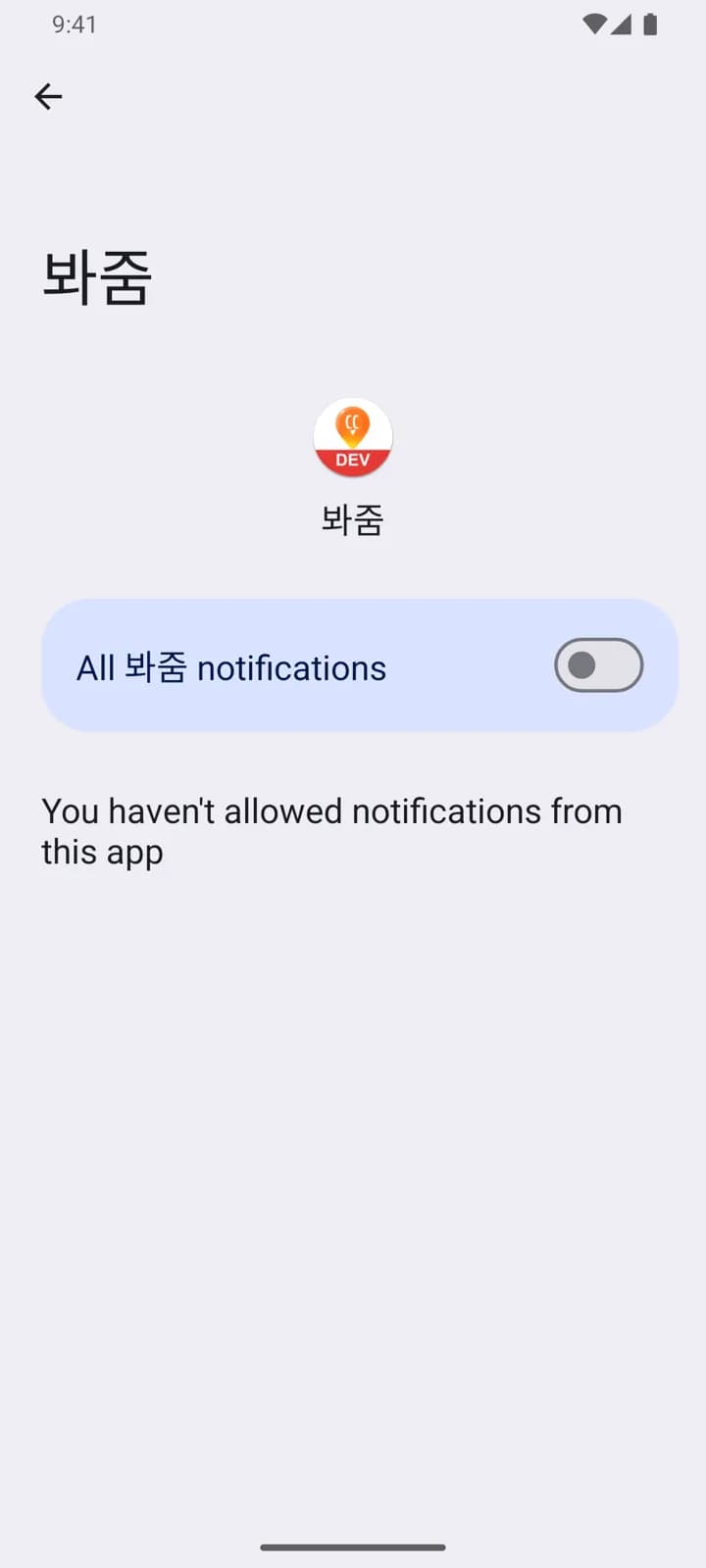
Step 7
Device settings — Allow notifications
Step 8
You see "Update required" Tap [Update] to get the latest version from the store.
Step 9
You see "Under maintenance" The server is being maintained. Please tap [Retry] a little later.
Step 10
The verification text doesn't arrive Check the number and country again and tap [Resend code]. If it still doesn't arrive, check your spam folder and blocked senders.
Step 11
Still not resolved? Let us know through Contact support.